
The Voice-Controlled Camera App for iPhone
Take photos and record video by talking to your iPhone — no tapping the screen, no timer-and-run-back. Viddycom is the first natural-language, voice-controlled iOS camera app.
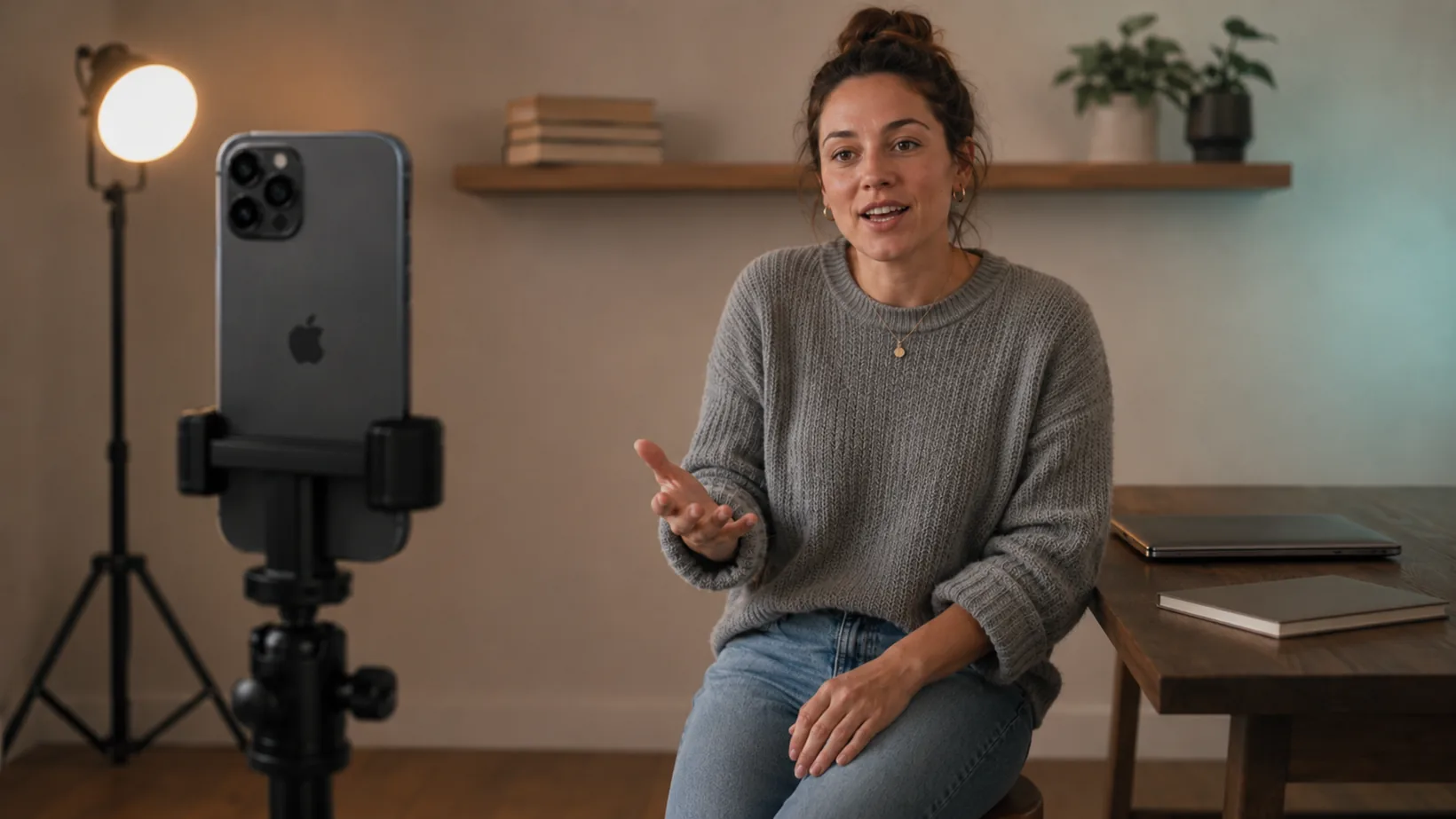
What is a voice-controlled camera app?
A voice-controlled camera app lets you operate your phone's camera by speaking instead of tapping the screen or setting a timer and running back into frame. You prop the phone up, say what you want — “take a photo”, “start recording”, “zoom in”, “blur my background” — and it does it, hands-free.
Viddycom is the first natural-language, voice-controlled iOS camera app. The “natural-language” part is the difference: instead of memorising rigid trigger words, you talk to it the way you'd talk to a person. Say “take a pic”, “snap one”, or “get a shot” and it all works. It listens continuously by default — no wake word to remember — and runs on any iPhone with iOS 18.6 or later, for $4.99/month or $39.99/year with a 3-day free trial.
Why use one
The standard way to photograph or film yourself is the self-timer: set a delay, tap the shutter, then scramble into position before it fires. You get one guess at the framing, a rushed pose, and a phone you have to run back and forth to for every single shot. Voice control removes that loop entirely — you stay in frame and just ask for the shot.
That matters most when your hands are busy or you're not next to the phone:
- Solo creators filming TikToks, Reels, and YouTube clips alone — start and stop recording, reframe, and grab photos without walking to the phone between takes.
- Hands-full moments — cooking, crafting, at the gym, holding a baby, or demoing something with both hands.
- Group and self-portraits — set the phone across the room, step in, and take the shot with your voice instead of a 10-second sprint.
- Accessibility — for anyone with limited hand mobility, a camera you talk to is a camera you can actually use.
How Viddycom's voice control works
- Natural language, not a fixed vocabulary. You don't memorise phrases — speak naturally and Viddycom works out what you mean. Recognition runs on Apple's on-device speech engine, which handles a wide range of English accents.
- Continuous listening by default. Open the app and it's already listening; the edge glow pulses teal while it does. No wake word required. Prefer to address the camera first? Switch on the optional “Show Time” wake word in Settings.
- It ignores normal conversation. Speech is analysed on-device only to spot camera commands — chit-chat, background talk, and anything that isn't a command are silently ignored, with no error messages.
- Chain up to three commands in one breath. Say “blur the background, zoom in, then take a photo” and it runs them in order.
- Your media stays private. Photos and video never leave your device. On Apple Intelligence iPhones the language understanding runs on-device too; otherwise only the command text — never audio or media — is used to interpret an unusual phrase.
Prop the phone up, say “start recording”, do your thing, then “stop recording” — without touching the phone once.
What you can do by voice
Viddycom's voice control spans the whole camera, not just the shutter. Here's the range — for every phrasing that works, see the full voice commands reference.
| You can | Say something like |
|---|---|
| Take a photo | “Take a photo” / “Snap” / “Shoot it” |
| Take several photos | “Take 10 photos” — counts each shot on screen, up to 100 |
| Use a timer | “Take a photo in 3 seconds” |
| Record video | “Start recording” / “Roll camera” … “Stop recording” / “That's a wrap” |
| Zoom | “Zoom in” / “Zoom to 2x” / “Zoom in slowly” to move slowly instead of jumping |
| Blur your background | “Blur my background” |
| Frame for a platform | “Frame for TikTok” / “9:16” — a live viewfinder overlay, saved file unchanged |
| Flip the camera | “Selfie mode” / “Flip camera” |
| Toggle grid, flash, HDR, steady mode, Live Photos | “Grid on”, “Flash off”, “HDR on”, “Steady mode on” |
| Discard a shot | “Bin that” / “Don't save that” — within about 10 seconds |
Voice commands keep working while you record, so you can reframe mid-take. It's photo and video, on the front or back camera — all hands-free.
iPhone's built-in options (and where they stop)
Your iPhone already has a few hands-free tricks. They're genuinely useful, and for some people they're enough — but each one mostly triggers the shutter and stops there.
| Option | What it does | Where it stops |
|---|---|---|
| Voice Control (Accessibility) | Say “Tap Take Picture” to fire the shutter by naming the on-screen button | You have to enable it in Accessibility and name buttons; it isn't natural-language camera control |
| AirPods camera remote (iOS 26) | Press the stem — or the Digital Crown on AirPods Max 2 — to take a photo, or to start and stop a video | A button on your ear, not your voice: one trigger, no zoom, framing, background blur or settings |
| Siri “Say Cheese” shortcut | Say “Hey Siri, Say Cheese” and it takes one photo, no tap needed — Siri on its own can only open the Camera app | One fixed action per phrase — no video, no zoom or framing, and no viewfinder to check first |
| A dedicated voice camera app (Viddycom) | Natural-language control of photos, several in a row, video, zoom, blur, framing and more — continuous listening | It's a subscription app (3-day free trial, then $4.99/month or $39.99/year) |
Built-in feature details checked against Apple's AirPods camera documentation and current reporting; the AirPods camera remote and the “Say Cheese” shortcut were re-checked on September 1, 2026. Full disclosure: Viddycom is our app.
Want the full breakdown? See Viddycom vs Siri and iPhone Voice Control, or the honest roundup of every option in the best voice-controlled camera apps.
Frequently Asked Questions
What is a voice-controlled camera app?
A voice-controlled camera app lets you operate your phone's camera by speaking instead of tapping the screen. You prop the phone up, say what you want — take a photo, start recording, zoom in, blur my background — and the app does it, hands-free. Viddycom is the first natural-language, voice-controlled iOS camera app, which means you speak in everyday phrasing rather than memorising rigid trigger words.
Can I control my iPhone camera with my voice without an app?
Partly. Apple's built-in Voice Control accessibility feature can fire the shutter if you set it up and say “Tap Take Picture”, and with iOS 26 recent AirPods act as a camera remote — press the stem to take a photo, or to start and stop a video. Both are useful, and both are free. What neither understands is a spoken instruction for zoom, background blur, platform framing, or taking several photos in a row — the AirPods remote is a button press rather than your voice, and Voice Control works the buttons on your screen. A dedicated app like Viddycom adds natural-language control across the whole camera.
Is my voice or video sent to the cloud?
Your photos and video never leave your device. Speech is analysed on-device to spot camera commands, and most commands are recognised entirely on-device. On iPhones with Apple Intelligence the language understanding also runs on-device; on other iPhones, only the command text — never the audio, and never your photos or video — may be sent to Google's Gemini to interpret an unusual phrase.
Do I have to say a wake word every time?
No. Viddycom listens continuously by default whenever the app is open, so you just speak — no wake word to remember. If you'd rather it listen only when addressed, you can switch on the optional “Show Time” wake word in Settings.
How much does Viddycom cost?
Viddycom is $4.99/month or $39.99/year (about $3.33/month — saving $19.89 a year), and both plans start with a 3-day free trial. That's Founder pricing: the lowest rate we will ever offer, and it's yours for as long as you stay subscribed. It runs on any iPhone with iOS 18.6 or later.
Get Viddycom
Viddycom: Voice Camera is $4.99/month or $39.99/year (about $3.33/month), both with a 3-day free trial — and that's Founder pricing: the lowest rate we will ever offer, and it's yours for as long as you stay subscribed. It runs on any iPhone with iOS 18.6 or later; the best experience is on iPhone 15 Pro and newer with Apple Intelligence, where processing runs on-device. Android is coming soon.
Try free for 3 days — then $4.99/month or $39.99/year. iPhone, iOS 18.6+.
More Guides
- The complete voice commands list — every command, with the natural phrasings that work.
- The best voice-controlled camera apps — an honest comparison of what's out there.
- Viddycom vs Siri and iPhone Voice Control — what each one can and can't do with the camera.
- How to film yourself alone — a practical guide for solo creators.
- Viddycom home — demos, pricing, and the full FAQ.
Last updated: September 1, 2026. This page reflects the shipping iOS app as of that date; the built-in iPhone options in the comparison table were re-checked against Apple's documentation on September 1, 2026.